
As Elementor users, we have often wanted to make sections or columns clickable. But until now there was no way to do it without adding extra plugin or code.
With Elementor Flexbox, we can now add containers and make them clickable with a link.
Steps to create a container clickable:
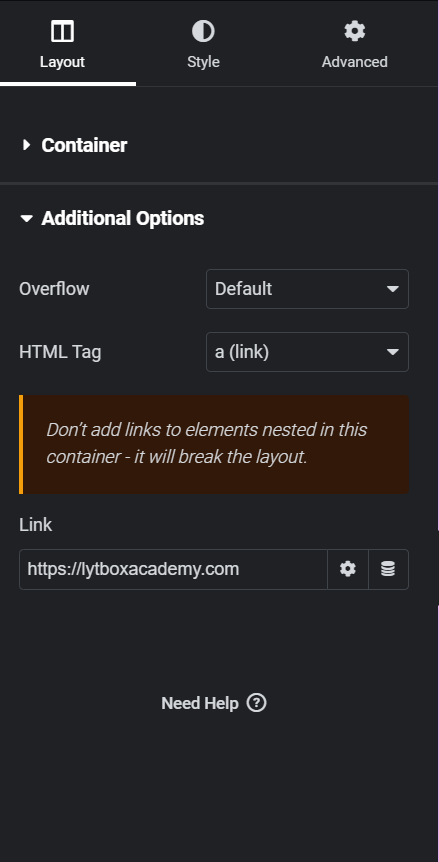
- Select the container and expand the Additional Options tab from the left.
- From the HTML tag dropdown, select a (link). This makes the container an <a> element
- Add the link inside the Link field. You can add attributes or choose dynamic links from the options.
What will you be building with clickable containers? Let us know in the comments :)
Here is a video for a guided tutorial: